[Raspberry Pi] Đồng hồ để bàn và nhiều thứ nữa!
[Raspberry Pi] Đồng hồ để bàn và nhiều thứ nữa!
Phần cứng
- Raspberry Pi 2
- Màn PiTFT 2.8in cảm ứng điện trở 4 nút GPIO
- Thẻ nhớ 8GB
- Vỏ, chân, nguồn….
Phần mềm
Cài Raspbian
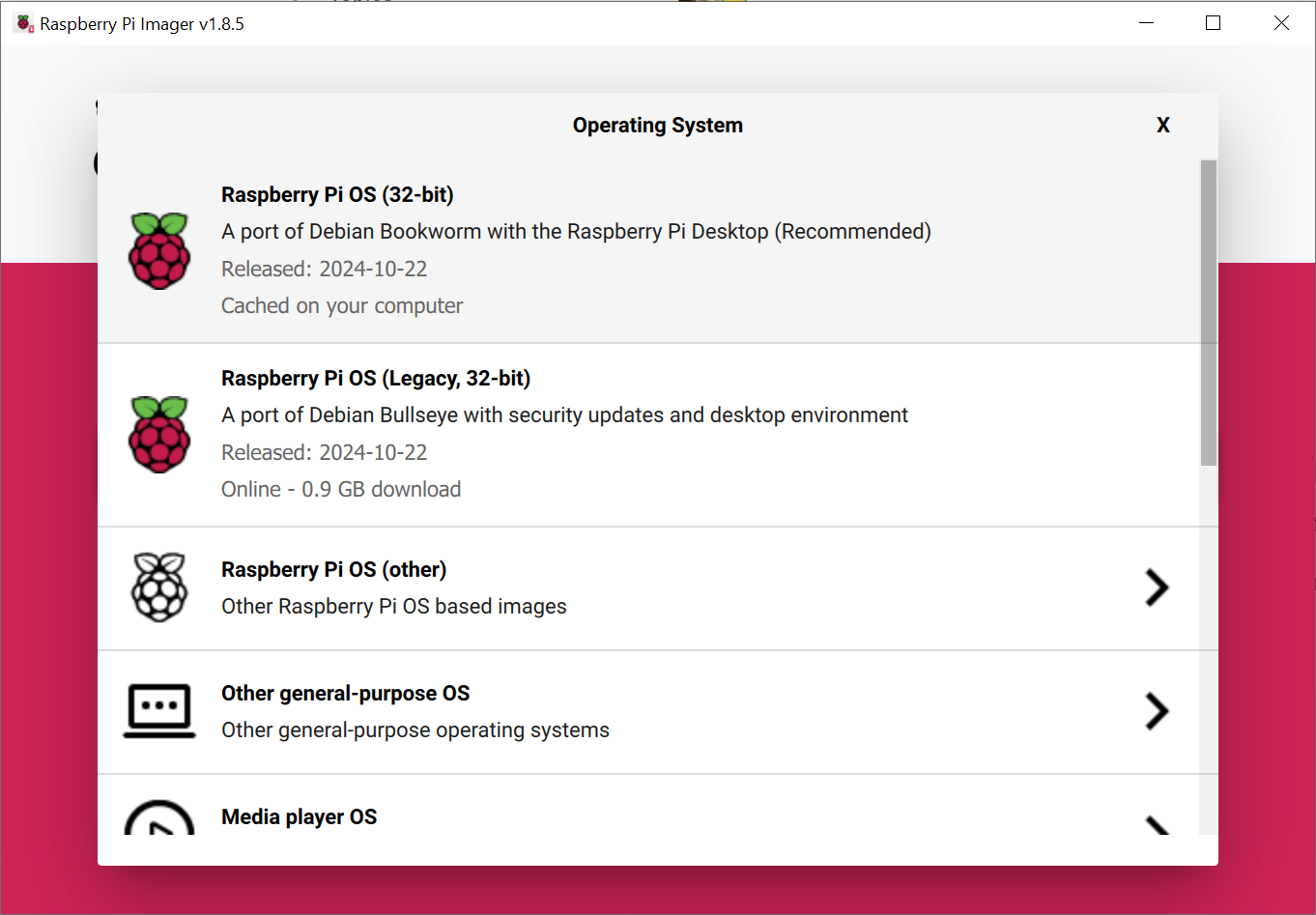 Cài bản
 Debian Bookworm có kèm Desktop Environment
 Đặt username và password để dùng SSH
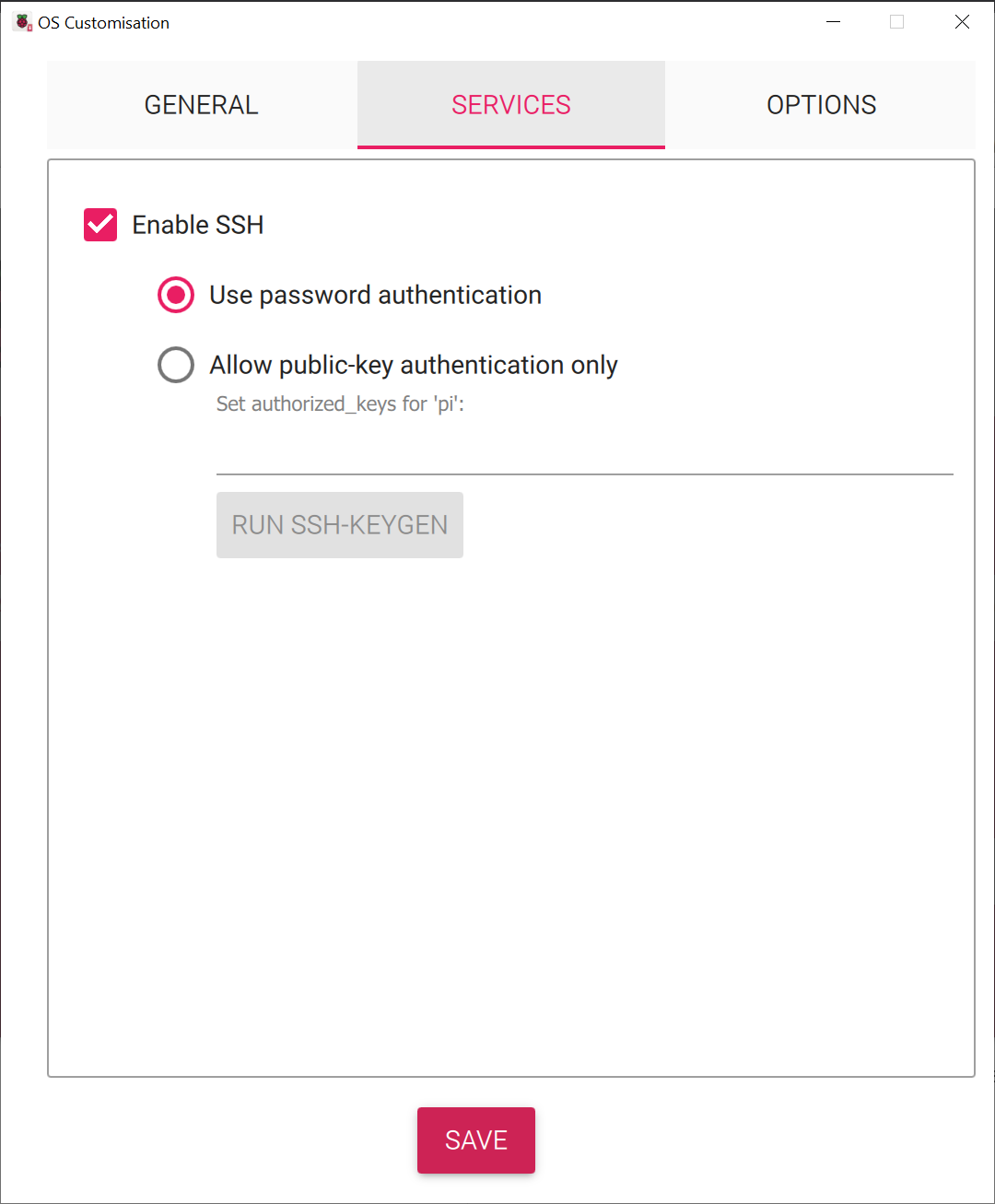 Bật SSH
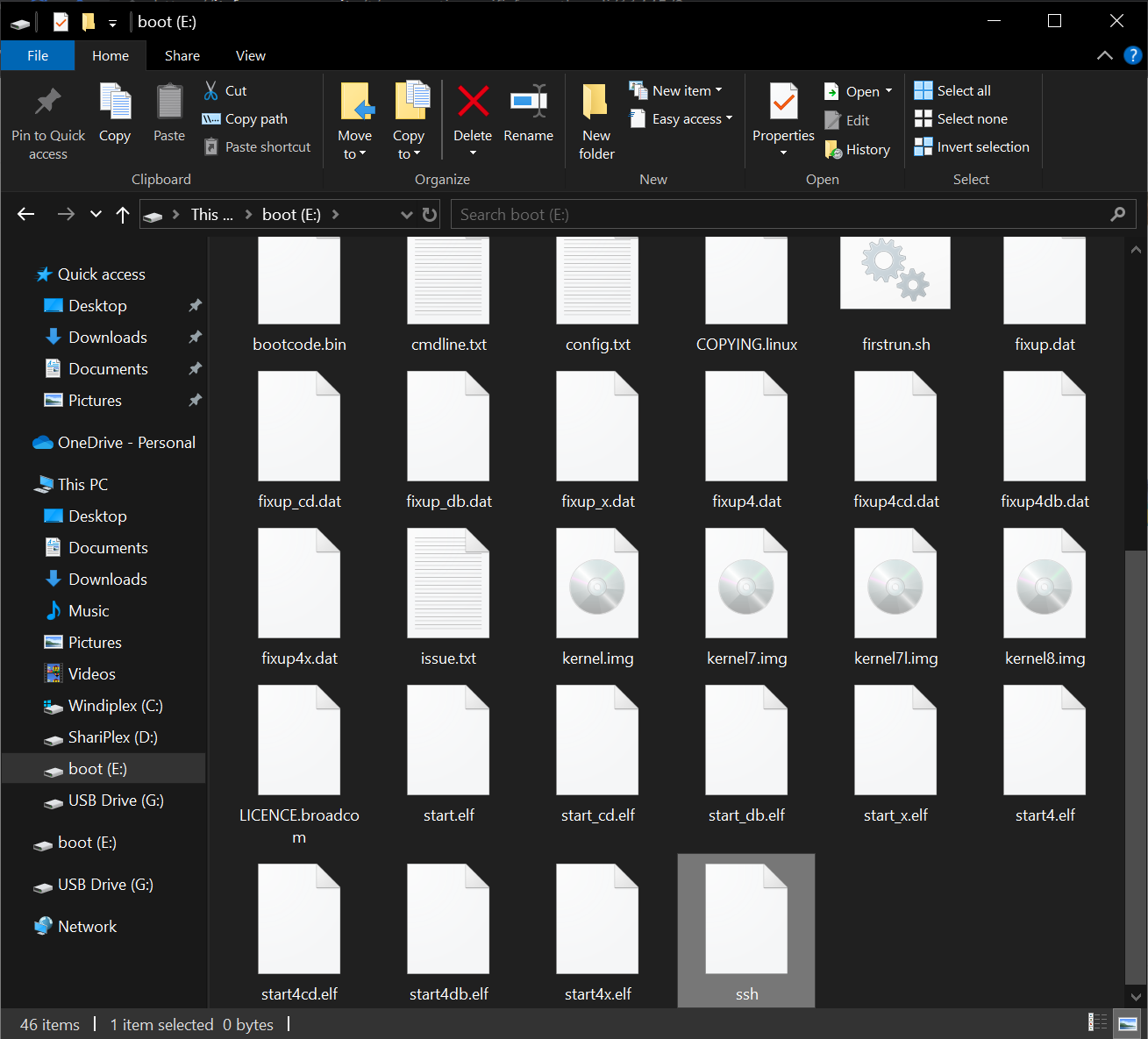 Sau khi ghi xong, mở File Explorer ra tạo thêm 1 file
 ssh cho chắc
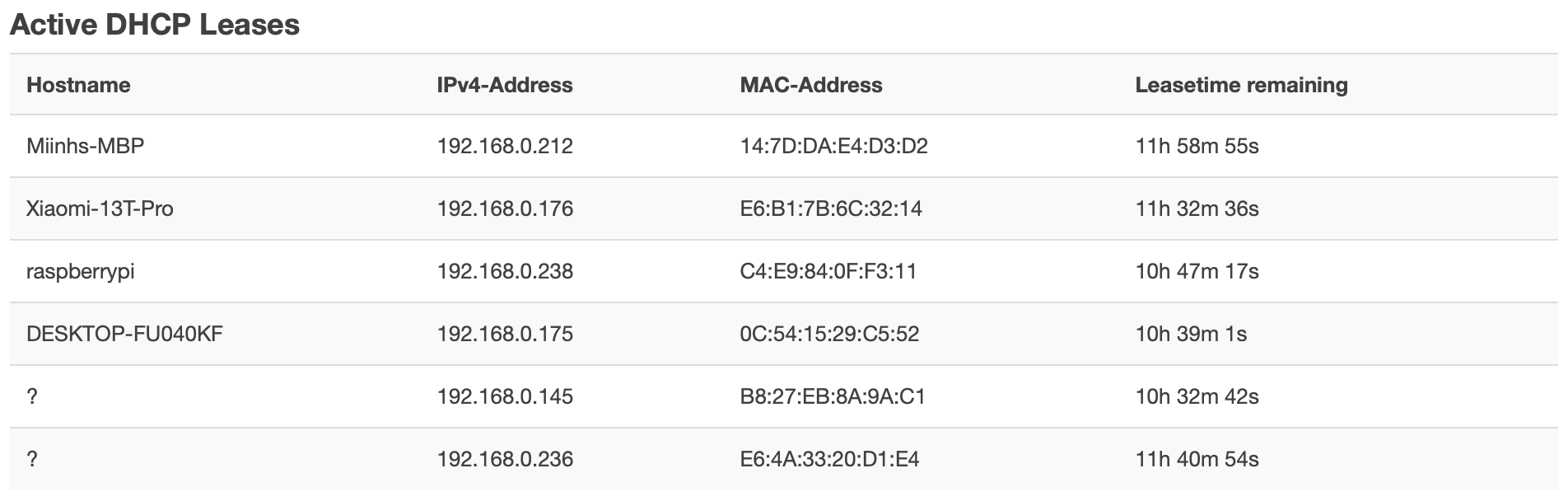 Cắm mạng, cắm nguồn, tìm IP của Raspberry Pi trong trang config router
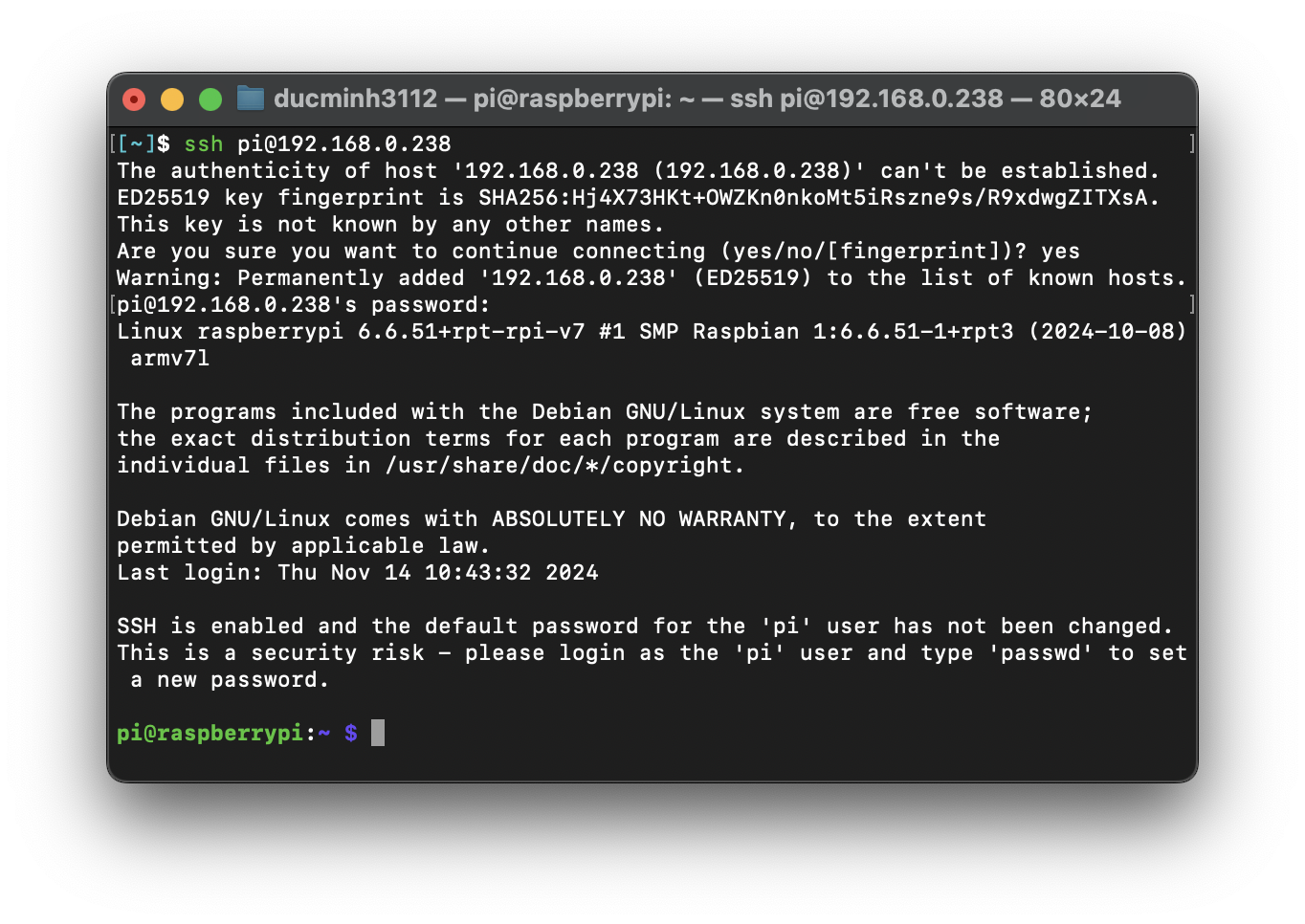 SSH vào
1
sudo nmtui
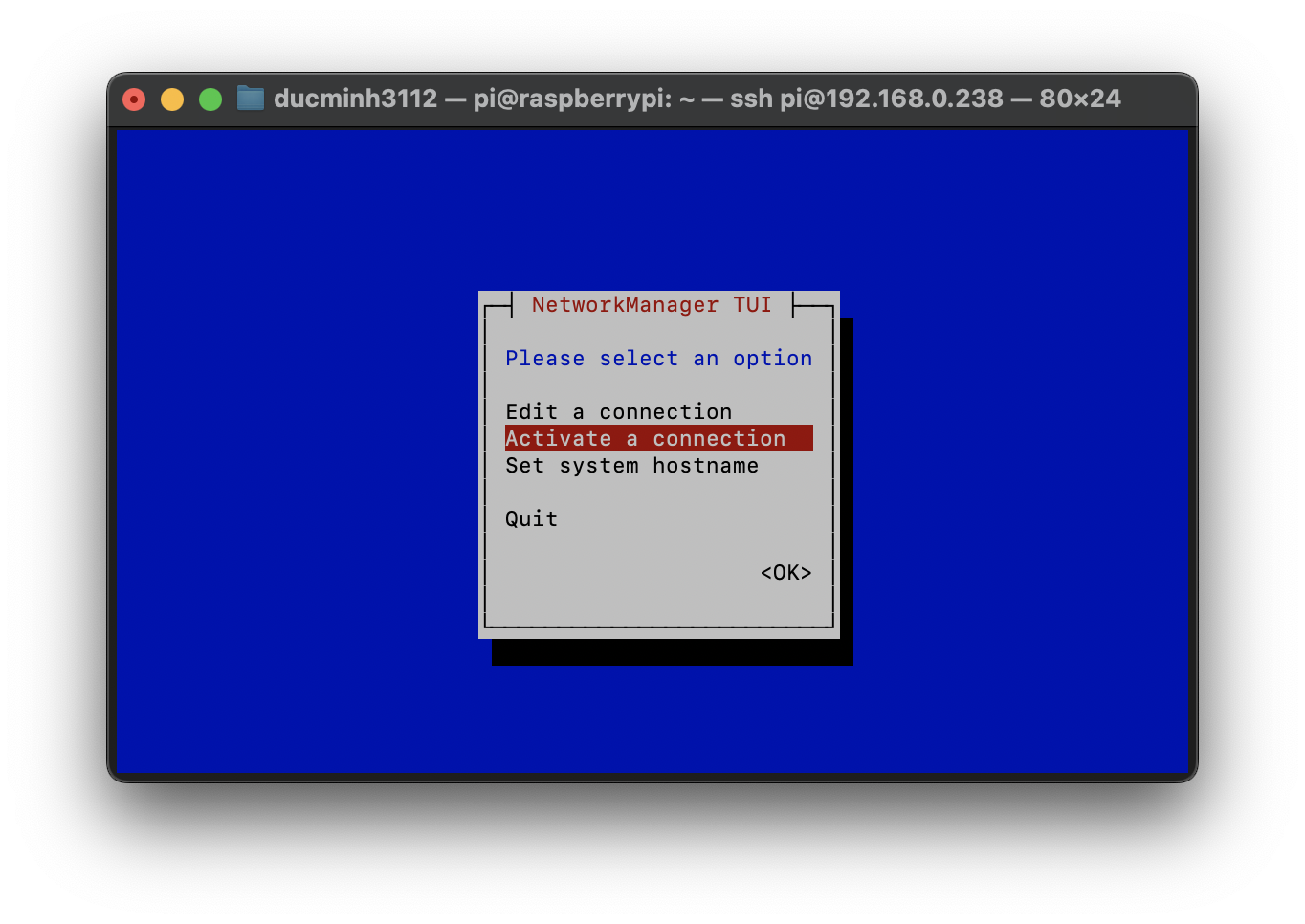 Thiết lập kết nối wifi:
 Active a connection
Cài PiTFT1
Cài python và virtualenv
1
2
3
4
cd ~
sudo apt install python3-venv
python -m venv env --system-site-packages
source env/bin/activate
Từ
Debian 12 Bookworm, mọi thứ python đều phải chạy trongvirtualenv_
Tải script cài PiTFT
1
2
3
4
5
6
cd ~
sudo apt-get update
sudo apt-get install -y git python3-pip
pip3 install --upgrade adafruit-python-shell click
git clone https://github.com/adafruit/Raspberry-Pi-Installer-Scripts.git
cd Raspberry-Pi-Installer-Scripts
Cài PiTFT
1
sudo -E env PATH=$PATH python3 adafruit-pitft.py --display=28r --rotation=90 --install-type=mirror
Chú ý:
- Màn sử dụng là PiTFT 2.8in cảm ứng điện trở:
--display=28r- Góc hiển thị 90 độ:
--rotation=90- Chế độ hoạt động HDMI Mirror:
--install-type=mirror
Đối với các loại màn khác, xem thêm ở https://learn.adafruit.com/adafruit-pitft-28-inch-resistive-touchscreen-display-raspberry-pi/easy-install-2
Chỉnh lại cảm ứng2
1
2
cd /usr/share/X11/xorg.conf.d/
ls
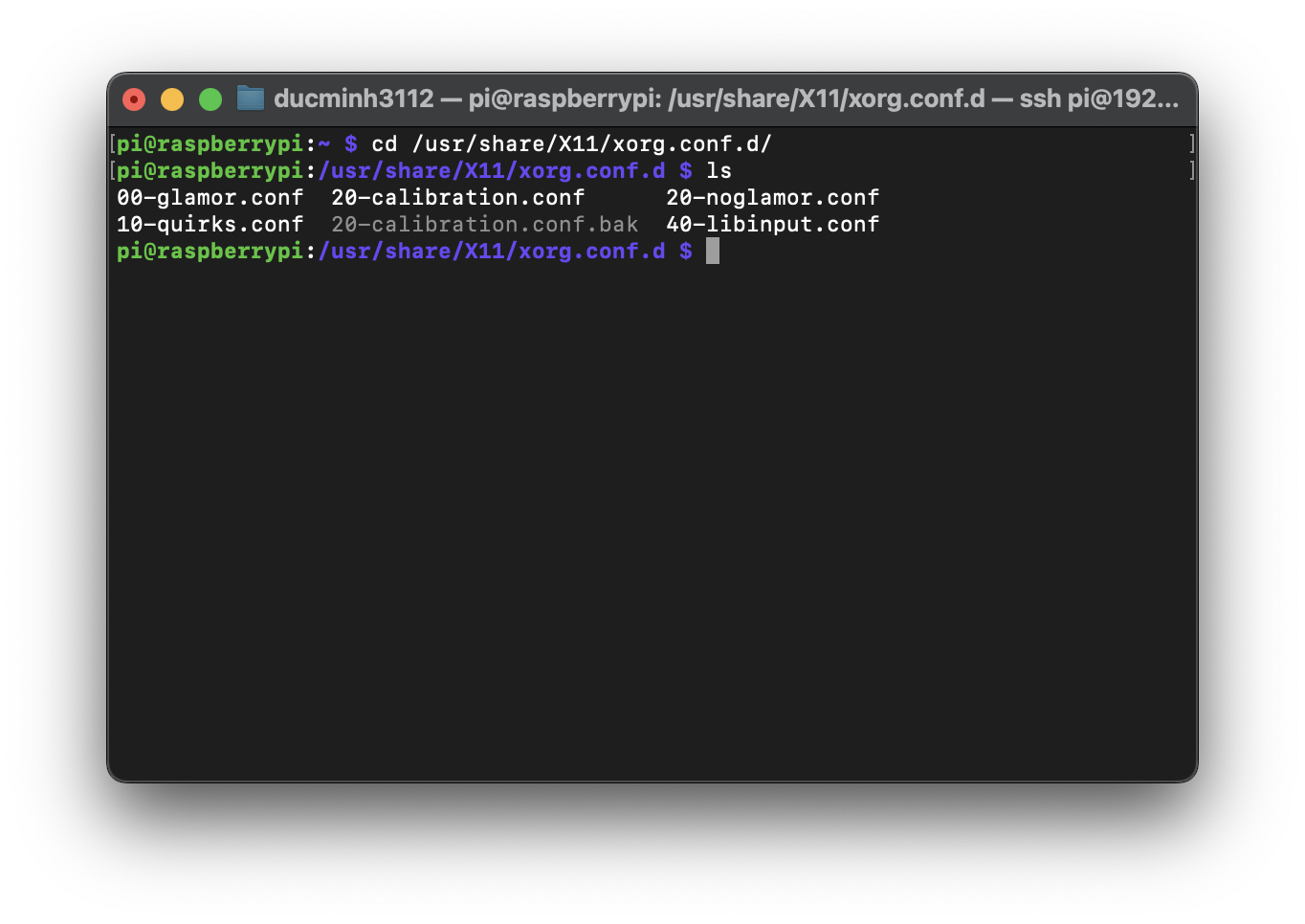 Tìm file
 calibration.conf. Trong hình sẽ là file 20-calibration.conf
1
nano 20-calibration.conf
Lưu lại ở chế độ xoay 270 độ
1
2
3
4
5
6
7
Section "InputClass"
        Identifier "STMPE Touchscreen Calibration"
        MatchProduct "stmpe"
        MatchDevicePath "/dev/input/event*"
        Driver "libinput"
        Option "TransformationMatrix" "0 1 0 -1 0 1 0 0 1"
EndSection
Các tham số khác:
- 90° = Option “TransformationMatrix” “0 -1 1 1 0 0 0 0 1”
- 180° = Option “TransformationMatrix” “-1 0 1 0 -1 1 0 0 1”
- 270° = Option “TransformationMatrix” “0 1 0 -1 0 1 0 0 1”
Khởi động lại
Cài MagicMirror²
Cài NodeJS 22
1
2
3
4
5
sudo apt-get install -y curl
curl -fsSL https://deb.nodesource.com/setup_22.x -o nodesource_setup.sh
sudo -E bash nodesource_setup.sh
sudo apt-get install -y nodejs
node -v
Cài MagicMirror²
1
2
3
4
5
cd ~
git clone https://github.com/MagicMirrorOrg/MagicMirror
cd MagicMirror/
npm run install-mm
cp config/config.js.sample config/config.js
Cài pm2
1
2
sudo npm install -g pm2
pm2 startup
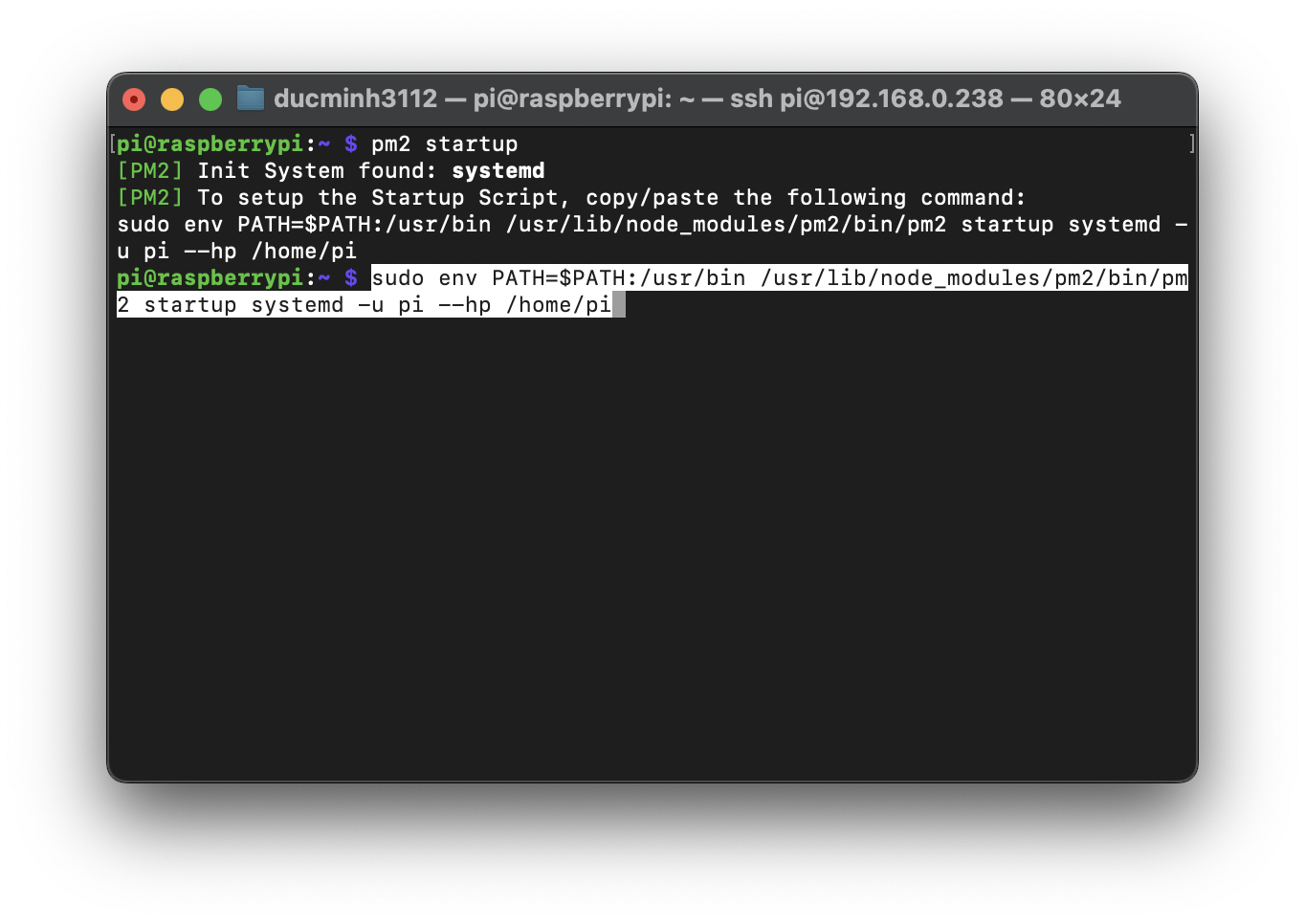 Chạy dòng lệnh
 pm2 đưa ra để hoàn tất cài đặt
Tạo script khởi động MagicMirror
1
2
cd ~
nano mm.sh
1
2
cd ./MagicMirror
DISPLAY=:0 npm start
1
chmod +x mm.sh
Khởi động MagicMirror cùng hệ thống với pm2
1
2
pm2 start mm.sh
pm2 save
Điều khiển MagicMirror với pm2
1
2
3
4
pm2 restart mm
pm2 stop mm
pm2 logs mm
pm2 show mm
Thiết lập MagicMirror²
Cài mmpm
1
2
3
4
5
6
cd ~
source env/bin/activate
python3 -m pip install --upgrade mmpm
echo 'export PATH="$PATH:$HOME/.local/bin"' >> ~/.bashrc && source ~/.bashrc
mmpm ui install -y
mmpm ui --url
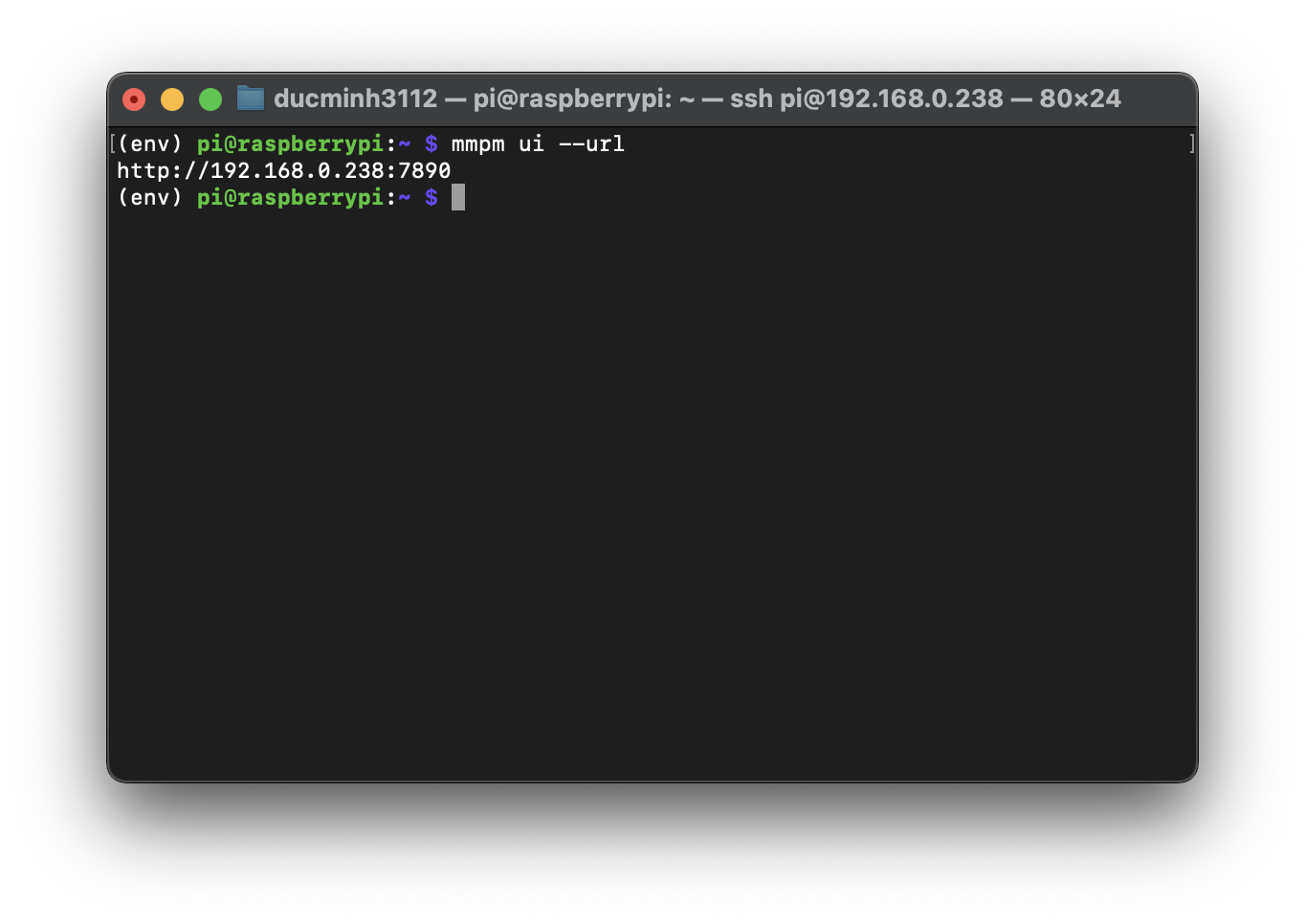 Địa chỉ WebUI
 mmpm
1
2
pm2 restart mm
pm2 save
Cài module khác
1
2
3
cd ~
source env/bin/activate
mmpm install -y MMM-Remote-Control
Thiết lập
1
2
3
4
5
6
7
8
9
10
11
12
13
14
15
16
17
18
19
20
21
22
23
24
25
26
27
28
29
30
31
32
33
34
35
36
37
38
39
40
41
42
43
44
45
46
47
48
49
50
51
52
53
54
55
56
57
58
59
60
61
62
63
64
65
66
67
68
69
70
71
72
73
74
75
76
77
78
79
80
81
82
83
84
85
86
87
/* Config Sample
 *
 * For more information on how you can configure this file
 * see https://docs.magicmirror.builders/configuration/introduction.html
 * and https://docs.magicmirror.builders/modules/configuration.html
 *
 * You can use environment variables using a `config.js.template` file instead of `config.js`
 * which will be converted to `config.js` while starting. For more information
 * see https://docs.magicmirror.builders/configuration/introduction.html#enviromnent-variables
 */
let config = {
	address: "0.0.0.0",	// Address to listen on, can be:
							// - "localhost", "127.0.0.1", "::1" to listen on loopback interface
							// - another specific IPv4/6 to listen on a specific interface
							// - "0.0.0.0", "::" to listen on any interface
							// Default, when address config is left out or empty, is "localhost"
	port: 8080,
	basePath: "/",	// The URL path where MagicMirror² is hosted. If you are using a Reverse proxy
									// you must set the sub path here. basePath must end with a /
	ipWhitelist: ["127.0.0.1", "192.168.0.0/24", "::ffff:127.0.0.1", "::1"],	// Set [] to allow all IP addresses
									// or add a specific IPv4 of 192.168.1.5 :
									// ["127.0.0.1", "::ffff:127.0.0.1", "::1", "::ffff:192.168.1.5"],
									// or IPv4 range of 192.168.3.0 --> 192.168.3.15 use CIDR format :
									// ["127.0.0.1", "::ffff:127.0.0.1", "::1", "::ffff:192.168.3.0/28"],

	useHttps: false,			// Support HTTPS or not, default "false" will use HTTP
	httpsPrivateKey: "",	// HTTPS private key path, only require when useHttps is true
	httpsCertificate: "",	// HTTPS Certificate path, only require when useHttps is true

	language: "en",
	locale: "en-US",
	logLevel: ["INFO", "LOG", "WARN", "ERROR"], // Add "DEBUG" for even more logging
	timeFormat: 24,
	units: "metric",

	modules: [
		{ module: "MMM-mmpm" },
		{
			module: "clock",
			position: "top_left",
			config: {
				dateFormat: "ddd, D MMM YYYY",
				displaySeconds: false,
			},
		},
		{
			module: "weather",
			position: "top_right",
			config: {
				weatherProvider: "openmeteo",
				type: "current",
				lon: 105.841171,
            	lat: 21.0245
			}
		},
		{
			module: "weather",
			position: "top_right",
			header: "Weather Forecast",
			config: {
				weatherProvider: "openmeteo",
				type: "forecast",
				lon: 105.841171,
            	lat: 21.0245,
				maxNumberOfDays: 3
			}
		},
		{
			module: 'MMM-Remote-Control',
			// uncomment the following line to show the URL of the remote control on the mirror
			// position: 'bottom_left',
			// you can hide this module afterwards from the remote control itself
			config: {
				customCommand: {},  // Optional, See "Using Custom Commands" below
				showModuleApiMenu: true, // Optional, Enable the Module Controls menu
				secureEndpoints: true, // Optional, See API/README.md
				// uncomment any of the lines below if you're gonna use it
				// customMenu: "custom_menu.json", // Optional, See "Custom Menu Items" below
				// apiKey: "", // Optional, See API/README.md for details
				// classes: {} // Optional, See "Custom Classes" below
			}
		},
	]
};

/*************** DO NOT EDIT THE LINE BELOW ***************/
if (typeof module !== "undefined") { module.exports = config; }
1
2
3
4
5
6
7
8
9
10
11
12
13
14
body {
    zoom: 66%;
    margin: 20px;
    position: absolute;
    height: calc(100% - 40px);
    width: calc(100% - 40px);
    background: #000;
    color: #aaa;
    font-family: "Roboto Condensed", sans-serif;
    font-weight: 400;
    font-size: 2em;
    line-height: 1.5em;
    -webkit-font-smoothing: antialiased;
}
Kết quả
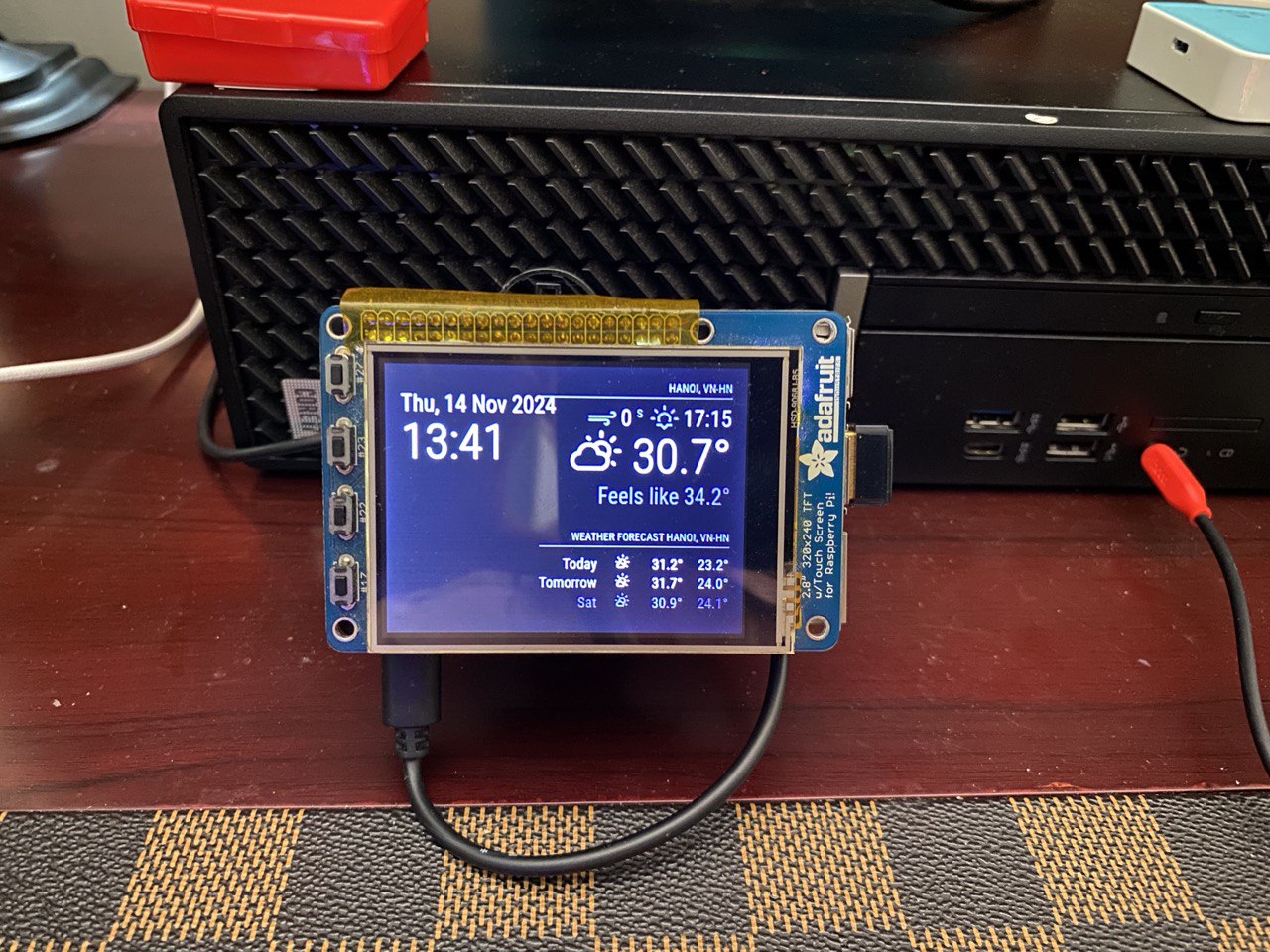 Kết quả
Nguồn tham khảo
This post is licensed under CC BY 4.0 by the author.